Before downloading your first PowerPoint file, follow these instructions to set up a Slide Theme to format your songs inside PowerPoint. Once you have the Slide Theme set up inside PowerPoint, you will need to apply that theme to every PowerPoint file you download from ChordShark. You can use our template as a starting point, and then customize it according to your own preferences.
Open the PowerPoint file for your song. You should see the song inside PowerPoint, unformatted.
From the PowerPoint menu, select "Format / Slide Theme / From File ..." and then find the PoiwerPoint template file you just downloaded (chordshark.pot*)
The song should now display with bold white text on a black background. You can change the background on each song individually, or you can edit the template in order to apply your changes to many songs. You can also copy the template to create multiple variations.
Depending on how you format your slides, you may want more or less lyric lines on each slide. The default is 6. You can set your own default below. If you select a lower number, you may want to modify the template to display the lyrics at the top or bottom of your screen to make room for any background images you are using.
We recommend that you leave this message active until you have successfully followed all the steps and have confirmed your PowerPoint settings. After that, you can hide this message and just download PowerPoint files directly from the menu.
Do not show again
Verify Your CCLI License No.
If you have a CCLI License number, we can automatically insert that into any file you download with chords or lyrics. Remember that it is your responsibility to know the privileges and limits of your CCLI License.
Organization *
CCLI License No.
Video Demo
What is ChordShark?
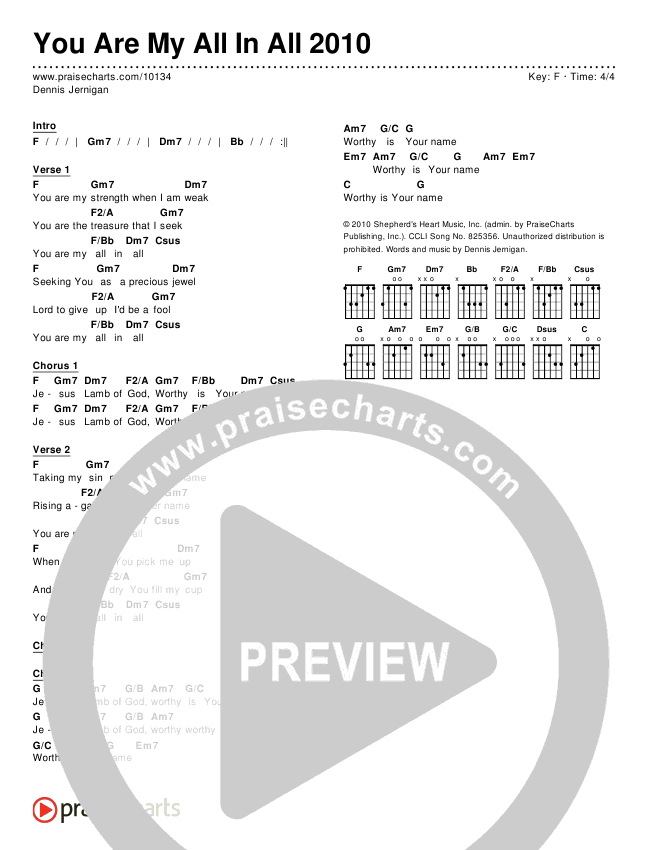
ChordShark is an online engine that powers premium chord charts from PraiseCharts. A chord chart is a non-musical representation of a song using chords and lyrics. Chord charts are well suited when you already know the melody and basic rhythm of a song.
What makes ChordShark unique?
Chord charts are readily available all over the internet - usually without cost! Most charts are put online illegally, without regard for copyright. Furthermore, the quality and accuracy is highly inconsistent. The dollar you save downloading a chord chart for free may cost you 15 minutes of hassle at band practice trying to get everyone on the same page.
ChordShark offers an answer to all of that and more. PraiseCharts has been legally distributing thousands of chord charts for more than four years. The charts have been created using custom software that outputs every song in a consistent, readable format. The only limitation has been that our charts are fixed to one layout style, with all 12 keys together in a single document.
ChordShark was custom designed by PraiseCharts to make chord charts fully dynamic. Now you can control the output of any song with many options to choose from. Everything stems from one single, simple text file that is easy to input, and easy to edit.
The ChordShark Menu
Inside PraiseCharts, you will find ChordShark accessible in two different modes. The first mode is fully embedded inside PraiseCharts. Songs with ChordShark arrangements are marked with a + sign. From the song detail page, you will see a tab called Lyrics and Chords. Click on that tab to see the chart and all the menu options.
You can also view ChordShark as separate viewer that pops on top of PraiseCharts. The ChordShark view does everything exactly the same. The only difference is the extra menu item called Songs, where you can see a list of all songs available in the ChordShark format.
All the menu items are active for both preview and purchased mode. If you are in preview mode, you can only see and download the first part of the song.
SONGS - This option only displays in the ChordShark viewer. You can find more than 1000 popular Christian worship songs with premium, dynamic chord charts. Beside every song title is an icon that links to the detail page inside PraiseCharts. Click on this if you want to find additional products beyond just the chord chart. To see the chord chart, click on the title. To see chord charts by a single artist, click on the artist name. To purchase a chord chart, click on the buy button. If you own a chord chart, the download button will take you to the full chord chart, where you can select the format that you want to download.
DOWNLOAD - Once you are viewing a song, the download link becomes active, giving you numerous output options in PDF, text and PowerPoint. You can even download a song in preview mode, which may help if you don't know if you want to purchase it yet. We recommend that you try out all the different download options to see what they look like, and then use the ones that are best suited for your team. Chord Chart 1 downloads the chart in a single column with wider lyrics. Chord Chart 2 downloads the chart in two columns with narrower lyrics.
VIEW - You can view as much or as little of the chart, depending on your needs and skill level. Show Repeated Chords will show chords in every section, even if the chord patterns are the same. If this is off, similar sections with repeated chord patterns will display as lyrics only. Show Repeated Lyrics will show all lyrics from top to bottom, even if they are repeated from previous sections of the song. If this is off, repeated sections will just display as a header.
KEY - You can transpose a song from any key to any key. The original key is always noted with an asterix. Nashville Numbers offers an option to replace specific chords with numbers based on the root position of the song. With Nashville Numbers, you can play the song in any key with just one chart (and a little practice).
CAPO - Capo allows you to change the fret position on your guitar without changing the key, so that you can play more complex keys with simple chords. Changing the capo does not change the key you sing in. I only changes the key you play in.
SHARE - You can send the chart to your band members by email right from ChordShark. If you haven't purchased the chart, you will only be sending the preview version, with limited lyrics and chords. You can also share a preview version of the song in your blog or website using the embed code. Even if you have purchased the song, there are restrictions on what content can be embedded. Embedded songs always link back to ChordShark, so your viewers can view the full song if they wish.
EDIT - If you have purchased a song, you can create a private, edited version for yourself. Your edits do not affect the public version, and you can always revert to the public version if you want. Editing a chart is helpful if you find an error that needs a quick fix. You may also want to make a minor adjustment to the arrangement to adapt the song to the way you actually want to sing it at church. Songs can be edited in both Chords-Over-Words and Chordpro format. Chordpro is a standard chord chart format that puts chords inside square brackets in front of the syllable where they should be played. In Chordpro format, if there is a space between the chord and the word (i.e. [Bb] amazing), then the chord will display before the word. If there is no space (i.e. [Bb]amazing), then the chord will display on top of the the word. Generally, ChordShark arrangements try to position the chords exactly where they are played. If there are multi-syllable words, you will find the words broken apart so that it is very clear when to play the chord. If there are no lyrics to guide the chords, then ChordShark will use simple rhythmic notation (i.e. Bb / / Ab | Eb) to indicate when chords should be played.
Terms Of Use
All of our chord charts are under copyright protection. It is your responsibility to abide by copyright law in all the ways that you use our music.
Before downloading your file, please review the terms below. If you agree with the terms, you may proceed with downloading your file. If you do not agree with the terms, you may exit this page and continue browsing the site. Here are the terms to consider:
Copyright - All of our chord charts are under copyright protection. It is your responsibility to abide by copyright law in all the ways that you use our music.
CCLI - Our system allows you to place your CCLI number on your downloaded products automatically. However, it is your responsibility to know the privileges and limits of your CCLI License.
Non-Transferrable - Music that you purchase is licensed for use by one organization, and is non-transferrable. Churches with more than one campus must purchase separate music and/or a separate membership for each campus.
Changing Churches - If you change churches, you are not permitted to take your music with you. Rather, you should register a new account from the other church and then re-purchase the music from that churches account
Responsibility - In all cases, the customer is ultimately responsible for legal remifications of copy activity.
Dennis Jernigan is a friend of mine. We eat lunch together once a month or so when he’s in town. We’ve known each other 20 plus years. He has been a true minister to me and my family many times and I try to be the same for him.
Dennis Jernigan is a friend of mine. We eat lunch together once a month or so when he’s in town. We’ve known each other 20 plus years. He has been a true minister to me and my family many times and I try to be the same for him. So when he asked for a little help getting his arrangements together for his new live album, I was all-hands-on-deck. He had the rough demos he had put together in his studio and even in those early formative stages, we could see many of these songs were going to be effective in corporate worship. “All Hail King Jesus”…..to see and hear the transformation of this song from Spirit, to pen, to the piano, then computer, on to paper and then watch it pour out of the voices and spirits of thousands of worshipers in San Antonio…it was indescribable. I also have to say that this worship experience came at a crucial point in my walk of faith and once again God used the ministry of Dennis Jernigan to bring a wave of spiritual healing to my life. There are more
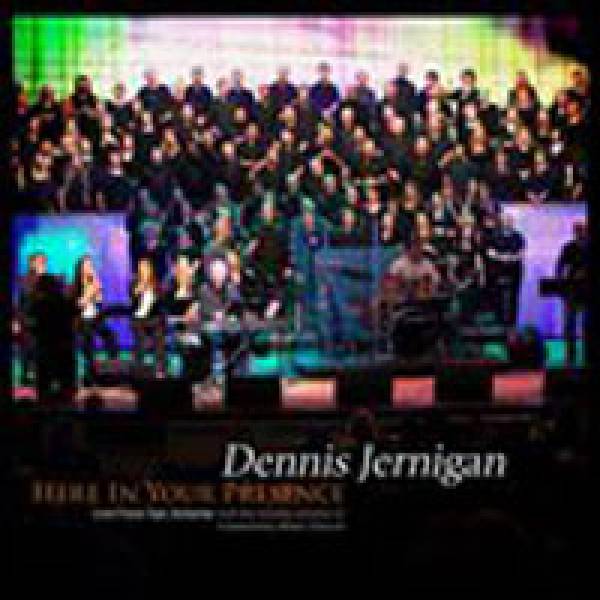
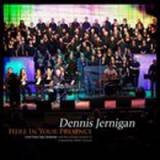
Dennis Jernigan’s first live recording in 8 years, Here In Your Presence is filled with 12 of Jernigan’s newest worship and ministry songs. Read more about the album here, and you can read the perspective of our arranger Brad Henderson here.
Dennis Jernigan’s first live recording in 8 years, Here In Your Presence is filled with 12 of Jernigan’s newest worship and ministry songs. Read more about the album here, and you can read the perspective of our arranger Brad Henderson here. more
Dennis Jernigan’s first LIVE recording in 8 years, HERE IN YOUR PRESENCE is filled with 12 of Jernigan’s newest worship and ministry songs…but what Dennis is most excited about is the ministry that was captured and recorded for posterity. Jernigan says, “I feel the ministry, not only of the songs, but of what I felt led to share during the worship and ministry time will serve to minister long after I am gone.”
Here In Your Presence Dennis Jernigan LIVE From San Antonio With the worship ministry of Community Bible Church Dennis Jernigan’s first LIVE recording in 8 years, HERE IN YOUR PRESENCE is filled with 12 of Jernigan’s newest worship and ministry songs…but what Dennis is most excited about is the ministry that was captured and recorded for posterity. Jernigan says, “I feel the ministry, not only of the songs, but of what I felt led to share during the worship and ministry time will serve to minister long after I am gone.” Recorded over a 2-day period as Dennis led worship in the four worship services of Community Bible Church in San Antonio in April of 2010, the 12 songs recorded run the gamut from the joyful, exuberant We Will Overcome to the triumphant, victorious song of spiritual warfare Run to the Battle…and from the majestic choral anthems of proclamation and surrender found in All Hail King Jesus and the title song Here in Your presence to the spiritual challenging more